Contents · 10 sections
- Scene: A Thursday evening in Narimanov
- First, an honest picture: what's happening in the world, and what isn't in Azerbaijan
- Where do assistants get information about a restaurant?
- The system: five layers
- Sample calculation: what is this work worth?
- Step by step: a 14-day plan
- AI test: how do assistants describe you?
- Misconceptions
- Printable checklist
- Sources
Scene: A Thursday evening in Narimanov
It's 19:40. Two people visiting from Türkiye are sitting in the hotel lobby, typing on a phone: "Recommend a place near Narimanov that's halal, not too expensive, with good meat dishes. Make sure there's a vegetarian option too." The answer doesn't come from a list on Google Maps — it comes from ChatGPT. The AI names three places and writes a one-sentence explanation for each.
Your restaurant is 600 meters away. Dolma, lula kebab, qutab, two vegetarian dishes, reasonable prices — you have it all. But your name isn't among those three places. The reason isn't the taste of the food. The reason is this: the assistant either knows too little about you or knows contradictory things. On Google, your opening hours say 23:00; on Instagram they say 22:00. Your menu exists only as a photo of the board on the wall. Nowhere does it say you have a vegetarian dish.
This article is meant to close that gap. Not general advice, but a system you can put into practice starting tomorrow.
First, an honest picture: what's happening in the world, and what isn't in Azerbaijan
Let's not exaggerate. Some chains in the world are already accepting orders through AI assistants:
- Sweetgreen (USA) launched ordering via ChatGPT and Claude in November 2026. Guests ask the assistant to assemble a meal that fits their protein target, allergens, or budget. According to the company's CTO, the menu is in a "machine-readable" format, with every ingredient, allergen, and price precise per individual branch. Payment, however, is completed not inside the assistant but in Sweetgreen's own app or on its website (NRN).
- Square introduced a ChatGPT app and a Claude plugin in July 2026. With these tools, guests find participating restaurants, browse menus, and place orders. In the first phase, this applies only to Square restaurants in the USA that have online ordering enabled (Square).
In Azerbaijan, however, there is no such direct AI ordering today. Be wary of anyone promising that a restaurant in Baku will be taking orders from ChatGPT tomorrow. These news items are not local reality — they are a signal of direction. And the meaning of the signal holds true today as well: assistants love information that is tidy, structured, and consistent everywhere. Sweetgreen's success comes not from advertising but from its menu being machine-readable.
What we need today is not an order but a recommendation. It's about your name being mentioned — and described correctly — when a guest asks "where should I eat?"
Where do assistants get information about a restaurant?
Let's be precise here too: ChatGPT, Claude, Gemini and Google's AI answers do not fully disclose their sources, and each works differently. One of the largest measurements across hotels demonstrates this. Milestone's 2026 report tracked more than 1.38 million responses from five assistants (ChatGPT, Gemini, Perplexity, Claude, Google AI Overviews) across 1,600 venues. The result: visibility varies from assistant to assistant. Between July and September, Perplexity named hotels in 65% to 70% of responses, while on Google AI Overviews this figure fell from 57% to 52%. Gemini, Perplexity and Claude most often cited booking sites, while Google AI Overviews cited hotels' own websites more than the others (Hospitality Net / Milestone).
This is a measurement across hotels; the same figures should not be expected for restaurants. But the practical conclusion is also logical for restaurants: you cannot rely on a single channel. Whichever assistant a guest opens, the information found about you comes from several sources: Google Business Profile, your own website (if you have one), delivery platforms (Wolt, etc.), map services (2GIS), review sites (Tripadvisor) and Instagram. If these sources contradict each other, the assistant will either give incorrect information or not mention you at all.
That is why the system consists of five layers.
The system: five layers
Tier 1: Make the Google Business Profile complete and accurate
On its help page, Google states that local search results are shaped by three main factors: relevance (how well the profile matches what is searched for), distance, and prominence (including the number of reviews and positive ratings). The same page states plainly: businesses with complete and accurate information are more likely to appear in local search results (Google Business Profile Help).
In practice, this means filling in all of the following fields:
- Category: The generic term "Restaurant" is not enough. Choose the primary category precisely, and add additional categories as well.
- Business hours: regular hours and holiday hours separately. If hours change on Novruz, Ramadan and Gurban holiday days, enter them in advance.
- Attributes: parking, Wi-Fi, family-friendly, outdoor seating, card payment, etc.
- Menu: Google offers a menu editor for food and beverage establishments. The name, description and price of each dish are entered, dishes are divided into sections (cold appetizers, hot dishes, desserts), and then photos of the dishes are added. Changes may take 24–48 hours to appear in Maps and Search (Google: menu editor).
- Photos: the facade (so guests recognize the door), the dining hall, the 10 best-selling dishes. Google itself states that with photos and videos you can show what you offer (Google Business Profile Help).
Note: uploading the menu only as a photo of the board is not enough. A person reads the image, but text is needed to answer questions such as "vegetarian", "halal", "nut-free".
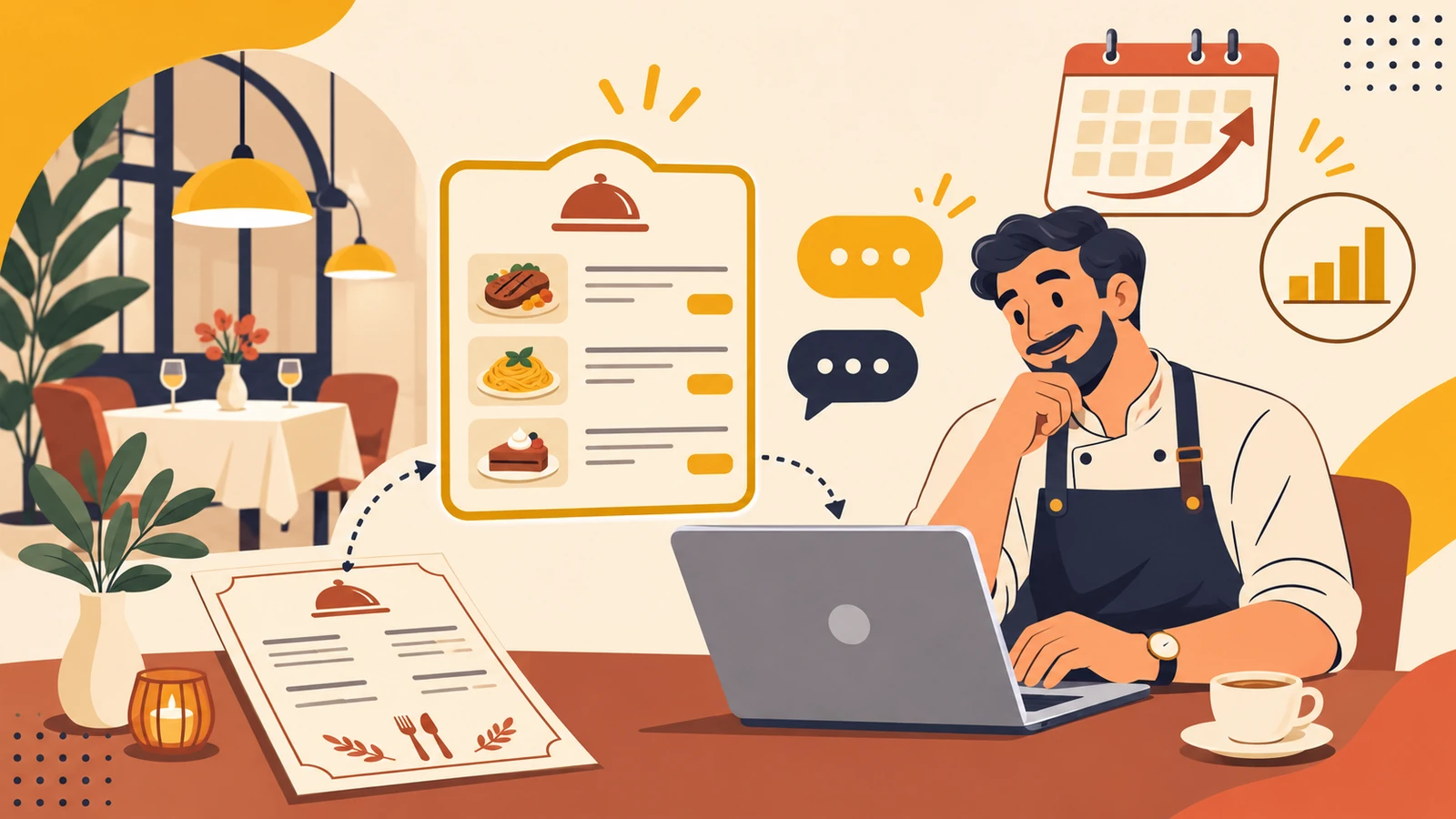
Tier 2: structured menu table (the heart of the whole job)
This is the foundation of the entire system. You prepare a tidy table once, then copy from it to every platform. This is the small-restaurant version of what Sweetgreen calls a "machine-readable menu."
The columns of the table:
| Column | Example |
|---|---|
| Name (AZ) | Quzu lüləsi |
| Name (RU) | Люля-кебаб из баранины |
| Name (EN) | Lamb lula kebab |
| Short description (AZ, 1 sentence) | Lamb meat grilled over charcoal, with onion and sumac |
| Main ingredients | lamb meat, onion, salt, pepper, sumac |
| Allergens | none (if served with lavash: gluten) |
| Diet note | halal |
| Portion | 250 g |
| Price | 14 AZN |
| Image file | lule-quzu.jpg |
A good template for the allergen column is the 14 groups in Annex II of the European Union's Regulation No. 1169/2011: cereals containing gluten, crustaceans, eggs, fish, peanuts, soy, milk, nuts, celery, mustard, sesame, sulphur dioxide and sulphites, lupin, molluscs (EUR-Lex). This is used not as a legal requirement for Azerbaijan, but as a practical checklist. A foreign guest asks using exactly these words.
Why is the name in three languages important? Because a guest in Baku asks in Azerbaijani, Russian and English. The assistant of a guest who types "люля" in Russian must find your "lülə."
Tier 3: schema.org markup on your website
If the restaurant has its own website (even a one-page site), add a machine-readable "business card" to it. This is a small block of code written in the schema.org vocabulary. Google calls structured data "explicit clues" about the meaning of a page and recommends the JSON-LD format where the site's structure allows it (Google Search Central). For local business markup, Google recommends the servesCuisine, menu (the full URL of the menu page), priceRange, openingHoursSpecification, geo and telephone fields with a country code for restaurants (Google: Local Business).
In schema.org, the Restaurant type supports the hasMenu, servesCuisine, acceptsReservations, openingHours, priceRange, address, telephone, geo fields (schema.org/Restaurant). For a menu item (MenuItem) there are name, description, image, price offer (offers) and dietary suitability (suitableForDiet) (schema.org/MenuItem). Dietary values include HalalDiet, VegetarianDiet, VeganDiet, GlutenFreeDiet (schema.org/RestrictedDiet). The MenuItem page does not show a separate allergen field, so write allergens explicitly inside the description (description).
Simplified example (name, address and numbers are fictitious, replace them with your own data):
{
  "@context": "https://schema.org",
  "@type": "Restaurant",
  "name": "Sample Kebab House",
  "servesCuisine": ["Azerbaijani cuisine"],
  "priceRange": "15-30 AZN",
  "telephone": "+994-12-000-00-00",
  "address": {
    "@type": "PostalAddress",
    "streetAddress": "1 Sample Street",
    "addressLocality": "Baku",
    "addressCountry": "AZ"
  },
  "openingHours": "Mo-Su 11:00-23:00",
  "acceptsReservations": true,
  "menu": "https://numune-kabab.az/menyu",
  "hasMenu": {
    "@type": "Menu",
    "hasMenuSection": {
      "@type": "MenuSection",
      "name": "Kebabs",
      "hasMenuItem": {
        "@type": "MenuItem",
        "name": "Lamb lula kebab",
        "description": "Lamb meat on charcoal, onion, sumac. Allergen: gluten if served with lavash.",
        "suitableForDiet": "https://schema.org/HalalDiet",
        "offers": { "@type": "Offer", "price": "14", "priceCurrency": "AZN" }
      }
    }
  }
}
After placing the code, check it with Google's Rich Results Test or the Schema Markup Validator tool. Also know one truth: Google itself writes that markup only gives eligibility for special results, not a guarantee of visibility (Google Search Central). This code is not magic, it simply makes the assistant's job easier.
If you don't have a website, leave this tier for later. Tiers 1, 2, 4 and 5 work without a website.
Tier 4: the same information everywhere
The worst signal for an assistant is contradiction. If a venue says "until 23:00" on Google, "22:00" in its Instagram bio, and "00:00" on Wolt, the assistant either picks one at random or doesn't include you at all, just to be safe.
Once a month, check the following fields side by side across all platforms:
- Name (the same spelling: not "Kabab Evi" in one place and "Kabab evi Bakı" in another)
- Address and landmark ("next to Narimanov metro station")
- Phone (with country code, the same number)
- Opening hours
- Cuisine type and key features (halal, family hall, vegetarian options)
- Price range
Platforms: Google Business Profile, Instagram, Wolt (or any other delivery service you work with), 2GIS, Tripadvisor, Facebook, your own website. Wherever you don't have a listing, rather than leaving an empty or outdated profile there, at least have a profile with the correct name, address and hours.
Tier 5: reviews and replies to them
Google states that the number of reviews and positive ratings affect visibility, while helpful replies to reviews demonstrate that you pay attention to customers (Google Business Profile Help; Manage reviews). To ask a guest for a review, Google offers a review link or a QR code.
But there is a red line. According to Google's rules, reviews written in exchange for an incentive offered by the business (a discount, a free dessert) are removed, and blocking negative reviews or selectively asking only satisfied guests for reviews is also prohibited (Google: fake engagement policy). So "write a review, tea is on us" doesn't work. Put the QR code on every table and present it to every guest the same way.
One subtlety when writing a reply: assistants can read reviews and replies too. Repeat the fact naturally within the reply: "Yes, all our meat products are halal, and we also have vegetarian dishes." That's not advertising, it's information.
Sample calculation: what is this work worth?
Sample calculation (all figures are illustrative, replace them with your own data):
A café with 40 seats. Average check per person is 28 AZN, an average of 2 people come to a table, meaning one table = 56 AZN. Food cost is 32%.
Let's assume that as a result of completing the profile, correct hours, a trilingual menu and reviews, 4 additional tables come per week (from the map, from the assistant, from recommendations).
- Weekly additional sales: 4 × 56 = 224 AZN
- Monthly (4.3 weeks): 224 × 4.3 ≈ 963 AZN
- The share remaining after deducting food cost (68%): 963 × 0.68 ≈ 655 AZN/month
The cost side:
- Menu table, translation and checking: approximately 12 hours of staff time × 6 AZN = 72 AZN (one-time)
- Professional checking of Russian and English names: approximately 50 AZN (one-time)
- Food photos with a phone: 0 AZN, half a day of time
- Monthly checking and replying to reviews: 4 hours per month × 6 AZN = 24 AZN
Total cost in the first month is approximately 146 AZN, and 24 AZN in subsequent months. Even if not 4 but only 1 additional table comes per week, the monthly share is approximately 164 AZN (56 × 4.3 × 0.68) and easily covers the monthly cost.
Also calculate the loss side: the hours are written incorrectly on Google, a guest comes and sees the door closed. This guest does not come back and often writes this in a review. If you do not know the food cost of your own menu precisely, first work it out with the free Food Cost calculator on the site, and replace the 32% above with your own figure.
Step by step: a 14-day plan
Days 1–2. Open your profile on all platforms, take a screenshot. Write the contradictions on one sheet of paper.
Days 3–5. Prepare the menu table (the columns in layer 2). Together with the chef, check the ingredients and allergens of each dish. Do this in the kitchen with the recipe, not in the office by estimation.
Days 6–7. Photograph the 10–15 best-selling dishes in daylight, against the same background. Name the file after the dish.
Days 8–9. Fill in all fields in your Google Business Profile, enter your menu with the editor, add holiday hours.
Days 10–11. Copy the same information to Instagram, Wolt, 2GIS, Tripadvisor and other profiles. The source is always the table, not memory.
Day 12. If you have a website, add the schema.org code and check it with a validator.
Day 13. Print the review QR code and place it on the tables. Write replies to the last 20 unanswered reviews.
Day 14. Do the "AI test" below for the first time and save the result. This is your starting point.
AI test: how do assistants describe you?
Check once a month, on the same day, with the same queries. Ask separately in ChatGPT, Claude, Gemini and the AI answer in Google search. Keep the answers in a table each month.
In Azerbaijani:
- "Recommend a halal, mid-range, family-friendly restaurant in Narimanov district."
- "What do you know about [restaurant name], Baku? Opening hours, address, what do they cook?"
- "Which Azerbaijani cuisine restaurants in Baku have vegetarian dishes?"
In Russian:
- "Посоветуй недорогой ресторан азербайджанской кухни рядом с метро Нариманов."
- "Что ты знаешь о ресторане [название] в Баку? Какие у них блюда и цены?"
In English:
- "Where can I eat good lula kebab near Narimanov metro in Baku? Halal, mid-range."
- "Tell me about [restaurant name] in Baku: opening hours, menu, allergens, price range."
Look at the following in the answers:
- Was your name mentioned?
- Are the address, hours and phone number correct?
- Were your cuisine and features (halal, vegetarian, family hall) described correctly?
- Which source did the assistant cite? (Some show a link. Whichever platform the incorrect information comes from, start the correction there.)
- Which competitors were mentioned and what do they have in their profile that you don't?
One warning: assistants' answers to the same query can even change from day to day, and the Milestone report also shows that assistants give different results from one another. Don't panic over a single test. Look at the trend over months.
Misconceptions
"This is the work of big chains." On the contrary. A big chain's brand is already known. For a small restaurant, a tidy profile is the main way to get your name mentioned, and the cost is mostly time.
"You can pay ChatGPT and get to first place." At the time this article was prepared, we found no source for such an official "restaurant recommendation advertising" service. Ask anyone selling "first place in AI" for a written explanation.
"If I add schema code, Google will definitely show me." Google itself writes that markup only provides eligibility, not a guarantee. Code is not a substitute for a profile and reviews.
"A photo of the menu is enough." A photo is enough for a human, but answering queries requires text: ingredients, allergens, price.
"Offering a discount for a review is harmless." According to Google's rules, reviews written in exchange for an incentive are removed. Provide the same review link to all guests in the same way.
"AI ordering has already started in Azerbaijan, we're late." No. Today the examples are from the USA (Sweetgreen, Square). We have time, but preparation must start now: when that day comes, the restaurant with a structured menu will be the first to join.
Printable checklist
Google Business Profile
- Primary and secondary categories are accurate
- Regular and holiday hours are entered
- Attributes (parking, Wi-Fi, payment, family) are filled in
- The menu is entered as text via the editor (name, description, price)
- There are photos of the facade, the dining hall and at least 10 dishes
Menu table
- Every dish is written with a name in AZ / RU / EN
- Ingredients are verified against the recipe in the kitchen
- Allergens are noted across 14 groups
- Halal / vegetarian / vegan notes are present
- Prices are the same across all platforms
Website (if any)
- Restaurant + Menu schema.org code is added
- Checked with the validator, no errors
Consistency
- Name, address, phone, hours: Google, Instagram, Wolt, 2GIS, Tripadvisor, Facebook match
Reviews
- The review QR code is on the tables, without incentives
- Replies have been written to all reviews from the last 30 days
AI test (once a month)
- 7 queries were asked across 4 assistants
- Results are kept in a table, the incorrect source has been fixed
Date: ____________ Checked by: ____________
Sources
- Nation's Restaurant News, "Want the best bowl to meet specific dietary needs? Sweetgreen says ask AI", 18.11.2026: https://www.nrn.com/fast-casual/want-the-best-bowl-to-meet-specific-dietary-needs-sweetgreen-says-ask-ai
- Square, press release on ChatGPT and Claude integrations, 01.07.2026: https://squareup.com/us/en/press/claude-chatgpt-integrations
- Hospitality Net, Milestone Inc. "Hospitality AI Visibility Benchmark 2026": https://www.hospitalitynet.org/news/4135529/hospitality-ai-visibility-benchmark-2026
- Google Business Profile Help, "Tips to improve your local ranking on Google": https://support.google.com/business/answer/7091?hl=en
- Google Business Profile Help, "About the menu editor": https://support.google.com/business/answer/9455840?hl=en
- Google Business Profile Help, "Manage customer reviews": https://support.google.com/business/answer/3474050?hl=en
- Google, "Fake engagement" content policy: https://support.google.com/contributionpolicy/answer/7400114?hl=en
- Google Search Central, "Introduction to structured data markup": https://developers.google.com/search/docs/appearance/structured-data/intro-structured-data
- Google Search Central, "Local Business structured data": https://developers.google.com/search/docs/appearance/structured-data/local-business
- schema.org, Restaurant: https://schema.org/Restaurant
- schema.org, MenuItem: https://schema.org/MenuItem
- schema.org, RestrictedDiet: https://schema.org/RestrictedDiet
- European Union, Regulation No. 1169/2011, Annex II (allergens): https://eur-lex.europa.eu/eli/reg/2011/1169/oj
- Google Rich Results Test: https://search.google.com/test/rich-results
- Schema Markup Validator: https://validator.schema.org/
How DK Agency helps
If what this post describes is happening in your restaurant, café or hotel, write to us: we will look at it together and show you the first step. The first diagnostic is free.
Ask KAZAN AI about this topic
Your dish, your numbers. KAZAN AI answers from the DK knowledge base and points you to the right tool.
Open KAZAN AI